Cryptoscope — the QR code for getting a Crypto Sticker
Cryptoscope is the physical QR carrier of a Crypto Sticker: a label or tag on a partner's product, packaging or service point. A specific sticker is assigned to it, and you can add that sticker to your collection.
How the Cryptoscope QR code works
A Cryptoscope carries a one-time activation secret. The right to activate goes to whoever first correctly confirms a valid secret. After successful activation, the link stops working and the sticker appears in your personal collection. Scanning the public QR code again only opens the sticker's passport.
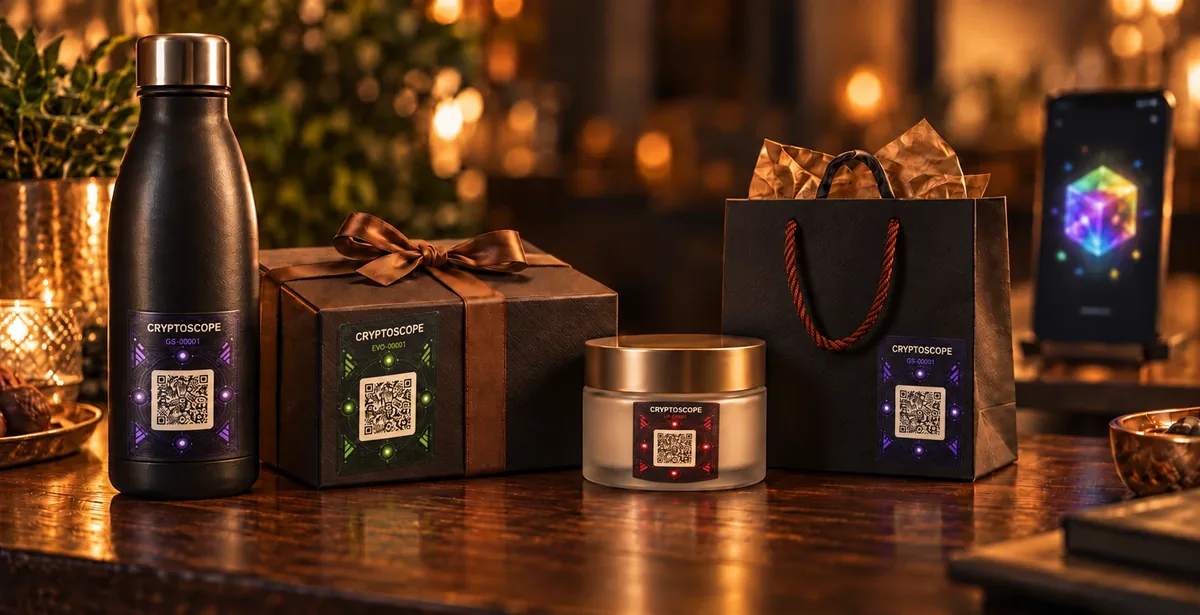
Where to find a Cryptoscope
Crypto Sticker partners place Cryptoscope on packaging, on the product itself or at a service point: food and drinks, cosmetics, cafés and services, electronics and home goods. Businesses that want to add Cryptoscope to their products can visit Crypto Sticker for business.
How to scan it and what happens next
Point the camera
Open your phone camera and point it at the Cryptoscope QR code.
Check the address
The link must lead to the cryptosticker.org domain. If the address is different, do not continue.
Sign in
If you are not registered yet, the site will ask you to sign in — the collection is linked to your account.
Confirm the addition
Once you confirm, the sticker appears in your personal collection and the one-time link stops working.
During maintenance, the page will clearly state that confirmation is temporarily unavailable.
Security
- Before activation, keep the QR code and link confidential: do not publish or forward them.
- The operator is not liable for activation by a third party if the secret was voluntarily shared or published.
- Forging serial numbers and QR codes is prohibited. Report a suspicious QR code to support@cryptosticker.org.
All the rules are in Crypto Sticker security.